CSU One Card Mobile App

CSU Mobile App with Touchnet

Contact: TouchNet_Fraud@csu.edu
Phone: 773-995-2849

The CSU (Onecard) Mobile ID App with TouchNet is a digital ID wallet that brings together student experiences and campus interactions, allowing CSU to view and manage data firsthand.

The CSU (Onecard) Mobile ID App provides access to campus facilities, dining services, and declining balance accounts for students, staff, and faculty. It also generates reports on the types of devices used on campus, frequency of use, and successful transactions.

Featured tools and resources

How to Install CSU OneCard Mobile ID App - Apple/Android (TouchNet)

Step 1: Open your App Store or Google Paly:

  App Store  Google Play

Install TouchNet 360u 360u Search for Chicago State University

360u

Chicago State University

Step 2: Click on Login:
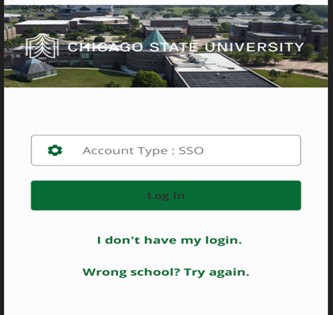
Login

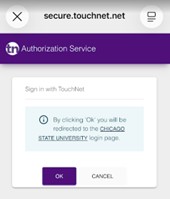
Secure TouchNet

Step 3: Enter your email address (Ex. user@csu.edu) : On the sign-in page, enter your full email address associated with your account.
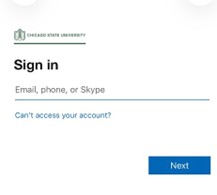
Sign in

Step 4: Enter your Password: On the sign-in page, enter your password associated with your account.
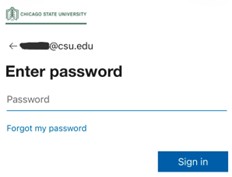
Enter password

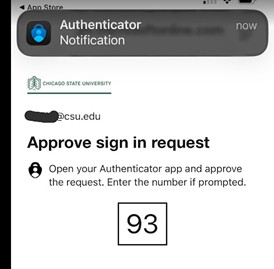
Step 5: Enter the Approved Code:

Approve sign in request

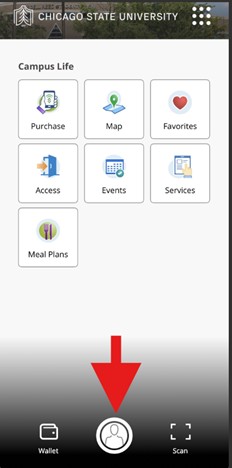
Step 6: Click the middle ICON:

Click the middle ICON

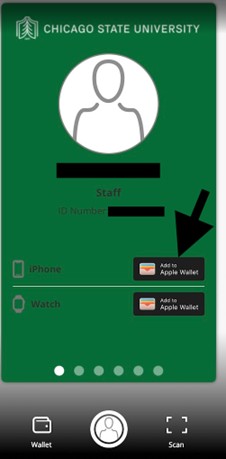
Step 7: Add to Apple Wallet:

Add to Apple Wallet:

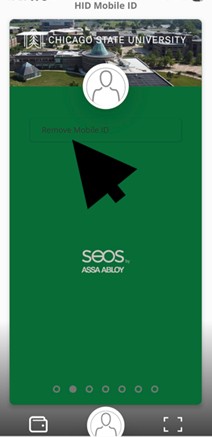
Androds: Click on Enable Mobile ID
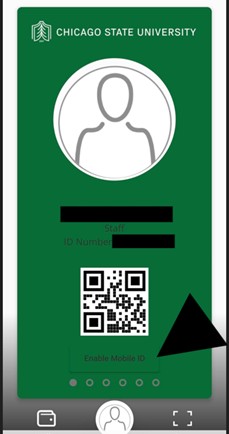
Click on Enable Mobile ID

Step 8 : Add iPhone:
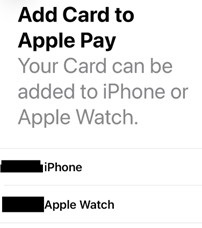
Add iPhone

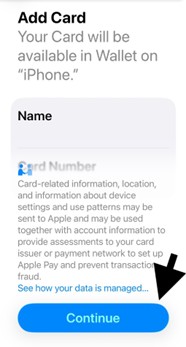
Step 9: click continue:

Add Card

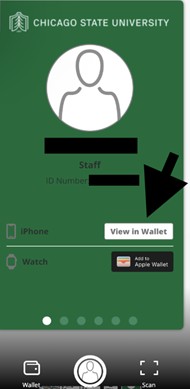
View in Wallet

Androids: Mobile ID has been added:

Mobile ID has been added

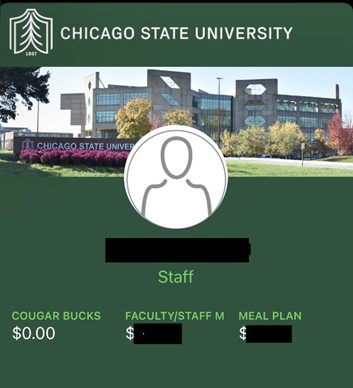
ID has been added to iPhone:

ID has been added to iPhone