Password Reset
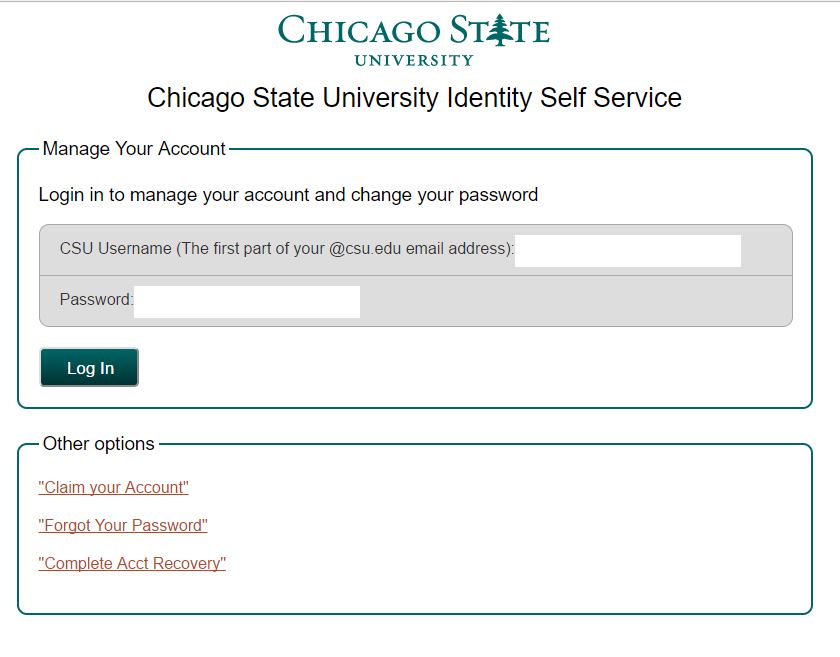
Go to https://iam.csu.edu/self-service and select change password:
Step 1:
Login with user name and password, in case if you forgot your password use "Forgot password" link in the bottom.
Step-2:
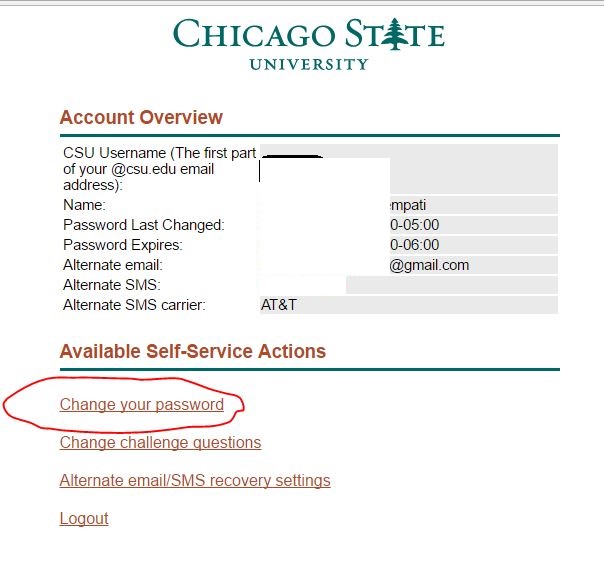
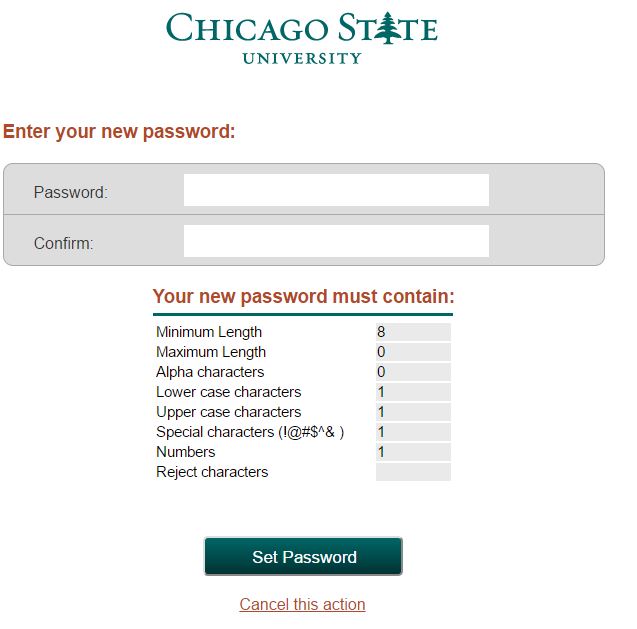
Use "Change your password" and enter new password, confirm it and set password.
Note:
- Employee password expires every 45 days
- Student password expires every 150 days
 ©
Chicago State University
©
Chicago State University  All Rights Reserved
9501 S. King Drive Chicago, IL 60628  (773) 995-2000
(773) 995-2000